ARK · ITEM
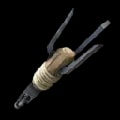
Zip-Line Anchor
- Item
Ammunition for the zip-line gun; crafted or spawned to enable zip-line traversal across your map.
The Zip-Line Anchor is just the start. Join the GameServersHub Discord for the full playbook on running your server. As of .
Blueprint Path
Full blueprint path
"Blueprint'/Game/Aberration/CoreBlueprints/Weapons/PrimalItemAmmo_Zipline.PrimalItemAmmo_Zipline'"Spawn Commands
GFI Code
cheat gfi PrimalItemAmmo_Zipline 1 0 0About
The Zip-Line Anchor is the ammunition required to fire the zip-line gun and create traversable zip-line routes. Admins spawn these to quickly set up mobility paths for players or to test zip-line placement without waiting for crafting.
Spawn it directly with the GFI code. Because it functions as ammo rather than a standard item, it uses the ammo spawning system, adjust the quantity and blueprint flag as needed for your testing or distribution purposes.
Frequently Asked Questions
- What is the Zip-Line Anchor?
- Ammunition for the zip-line gun; crafted or spawned to enable zip-line traversal across your map.
- How do I spawn multiple Zip-Line Anchor at once?
- Change the quantity argument, the first number after the code. For example
cheat gfi PrimalItemAmmo_Zipline 25 0 0spawns 25 of the Zip-Line Anchor. Stacks respect the item's maximum stack size. - What's the difference between the Zip-Line Anchor GFI code and its blueprint path?
- The GFI code
PrimalItemAmmo_Ziplineis a short name for quick spawning; the blueprint path"Blueprint'/Game/Aberration/CoreBlueprints/Weapons/PrimalItemAmmo_Zipline.PrimalItemAmmo_Zipline'"is the full engine reference used by GiveItem and spawn tools. Both point at the same Zip-Line Anchor. - Is the Zip-Line Anchor blueprint path case-sensitive?
- Yes.
"Blueprint'/Game/Aberration/CoreBlueprints/Weapons/PrimalItemAmmo_Zipline.PrimalItemAmmo_Zipline'"must be typed exactly, including capitalization and the wrapping quotes. Copy it from this page to avoid a typo that returns an empty spawn. - How do I spawn the Zip-Line Anchor as a blueprint instead of a finished item?
- Set the final argument to 1:
cheat gfi PrimalItemAmmo_Zipline 1 0 1. The last number is the blueprint flag, where 0 gives the crafted item and 1 gives its blueprint (for craftable items; on items with no blueprint the flag is simply ignored). - Why isn't my Zip-Line Anchor spawn command working?
- Check three things: admin access is enabled (
enablecheatson servers), the code is typed exactly (PrimalItemAmmo_Zipline), and all three trailing numbers are present. Copyingcheat gfi PrimalItemAmmo_Zipline 1 0 0directly from this page avoids the most common mistakes. - What do the numbers in the Zip-Line Anchor spawn command mean?
- In
cheat gfi PrimalItemAmmo_Zipline 1 0 0, the code identifies the Zip-Line Anchor, then the three numbers are quantity, quality, and blueprint flag (0 = item, 1 = blueprint). So it spawns one standard Zip-Line Anchor. - What is the GFI code for the Zip-Line Anchor?
- The GFI code for the Zip-Line Anchor is
PrimalItemAmmo_Zipline. GFI matches the item by its short blueprint name, socheat gfi PrimalItemAmmo_Zipline 1 0 0is the fastest way to spawn it without typing the full blueprint path. - How do I open the console to spawn the Zip-Line Anchor?
- On PC, press Tab to open the admin console, paste the command, and press Enter. On Xbox and PlayStation, open the pause menu and use the on-screen command bar. Then drop in the Zip-Line Anchor spawn code from this page.
- Is the Zip-Line Anchor spawn code on GameServersCodex accurate?
- Yes. The Zip-Line Anchor's class name, GFI code, item ID, and blueprint path are reproduced exactly from the live game data and re-checked each patch, so you can copy them straight into your console.
- How do I spawn a higher-quality Zip-Line Anchor?
- The second number is quality, where 0 is primitive and higher values roll toward ascendant.
cheat gfi PrimalItemAmmo_Zipline 1 100 0attempts a top tier Zip-Line Anchor. Quality only affects items that support tiers; on others it's ignored. - What items are related to the Zip-Line Anchor?
- See the Related section at the bottom of this page for items commonly used alongside the Zip-Line Anchor, or open Browse Games to explore the full ARK: Survival Ascended database.
- What is the Zip-Line Anchor class used for in mods or spawn tools?
- Spawn managers, loot-table editors, and RCON macros reference the Zip-Line Anchor by its class
PrimalItemAmmo_Zipline_Cor GFIPrimalItemAmmo_Zipline. Both uniquely identify it in ARK: Survival Ascended. - How do I add the Zip-Line Anchor to a starter kit or loadout?
- Include
cheat gfi PrimalItemAmmo_Zipline 1 0 0in your server's kit or spawn script, and set the quantity argument to hand out multiples. Pair it with other item commands from the Codex to build a full loadout. - Which game is the Zip-Line Anchor from?
- The Zip-Line Anchor is from ARK: Survival Ascended. Every ID, code, and command on this page is specific to ARK: Survival Ascended and its current live build.
- What is the Zip-Line Anchor used for?
- The Zip-Line Anchor is the ammunition required to fire the zip-line gun and create traversable zip-line routes. Admins spawn these to quickly set up mobility paths for players or to test zip-line placement without waiting for crafting.
- Where can I copy the Zip-Line Anchor spawn command?
- Use the copy buttons in the Spawn Commands and Blueprint Path sections near the top of this page. Each copies the full Zip-Line Anchor command to your clipboard in one click, ready to paste into the console.
- Can I get the Zip-Line Anchor without spawning it?
- Yes. The Zip-Line Anchor can also be obtained through normal ARK: Survival Ascended progression. Admins usually spawn it for speed when testing, running events, or outfitting players, which is what the commands on this page are for.
- Can I spawn the Zip-Line Anchor over RCON or on a dedicated server?
- Yes. Send the same command through RCON or your control-panel console:
cheat gfi PrimalItemAmmo_Zipline 1 0 0. If your tool already runs with admin context, drop the leading "cheat". It works the same on hosted, self-hosted, and RCON setups. - Does the Zip-Line Anchor spawn command work in single-player and multiplayer?
- Yes, the command is identical in both. Single-player has cheats enabled by default; multiplayer just requires an admin login first. The Zip-Line Anchor then spawns the same way.
- How current is the Zip-Line Anchor spawn info?
- The Zip-Line Anchor entry was last verified on GameServersCodex on June 28, 2026. We track the live ARK: ASA build, so the IDs and commands here reflect the current patch.
- How do I enable admin commands to spawn the Zip-Line Anchor?
- In single-player, cheats are on by default. On a dedicated or hosted server, log in as admin first with
enablecheats <AdminPassword>, then run the Zip-Line Anchor spawn command. Without admin access the console rejects it. - What is the blueprint path for the Zip-Line Anchor?
- The full blueprint path is
"Blueprint'/Game/Aberration/CoreBlueprints/Weapons/PrimalItemAmmo_Zipline.PrimalItemAmmo_Zipline'". Paste it into GiveItem to spawn the exact item:cheat GiveItem "Blueprint'/Game/Aberration/CoreBlueprints/Weapons/PrimalItemAmmo_Zipline.PrimalItemAmmo_Zipline'" 1 0 0. Copy it exactly, because the path is case sensitive and must keep its wrapping quotes. - What is the admin command to spawn the Zip-Line Anchor?
- Open the admin console and run
cheat gfi PrimalItemAmmo_Zipline 1 0 0. That gives you one Zip-Line Anchor instantly. The three numbers after the code are quantity, quality, and blueprint flag. Raise the first to spawn a stack, or set the last to 1 to receive it as a blueprint instead of a finished item. Verified against the current ARK: ASA build as of June 28, 2026. - What is the class name for the Zip-Line Anchor?
- The class name for the Zip-Line Anchor is
PrimalItemAmmo_Zipline_C. Class names end in_Cand identify the item's blueprint at runtime, which makes them useful for spawn tools, mods, and RCON macros.